How To Add Funds In Assam SMM Panel Wallet (Updated Guide)
Assam SMM Panel is a social media marketing platform where users and resellers can order different social media services such as Instagram followers, Instagram likes, Instagram views, YouTube views, Facebook services and other SMM services.
Before placing an order, you need to have sufficient balance in your Assam SMM Panel wallet. Adding funds allows you to purchase available SMM services quickly and easily from your account.
If you are new to Assam SMM Panel and don't know how to add money to your wallet, don't worry. In this guide, we will explain the complete process step by step.
How To Add Funds In Assam SMM Panel?
Adding funds to your Assam SMM Panel account is a simple process. Follow the steps below.
1. Login To Your Assam SMM Panel Account
First, visit the Assam SMM Panel website and log in to your account using your registered username and password.
After successful login, you will be redirected to your panel dashboard.
Don't have an account yet? Create an account first and then log in to access your SMM panel wallet.
2. Go To The Add Funds Section
After logging into your account, open the Add Funds section from your panel menu.
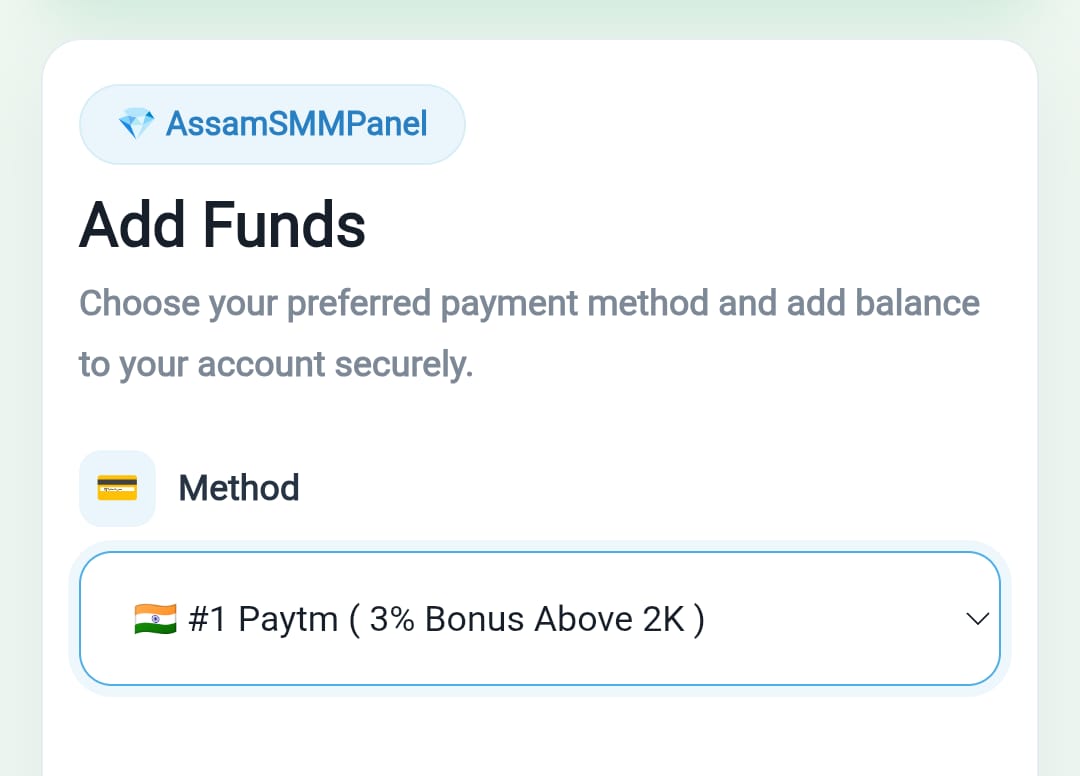
The Add Funds page is where you can select your preferred payment method and add balance to your Assam SMM Panel wallet.
Whether you are using a mobile phone, tablet or computer, you can access the Add Funds section from your panel dashboard.
3. Select A Payment Method
On the Add Funds page, you will see the payment methods currently available on the panel.
Depending on the available options, you may be able to add funds using different digital payment methods or cryptocurrency.
Select the payment method that you want to use and carefully follow the payment instructions displayed on the page.
Important: Payment methods can change from time to time. Always check the current Add Funds page for the latest available options.
4. Enter The Amount
After selecting your payment method, enter the amount you want to add to your Assam SMM Panel wallet.
For example, if you want to add ₹500, enter the required amount carefully.
Always double-check the amount before continuing with the payment to avoid mistakes.
5. Complete Your Payment
Follow the instructions shown on the selected payment method and complete your payment.
Make sure that you use the correct payment details provided by the Assam SMM Panel.
If the payment method requires a transaction ID, order ID or other payment information, enter the details exactly as requested.
Do not send your payment to an old or unofficial payment address. Always use the payment information displayed on your current Add Funds page.
6. Wait For Payment Confirmation
After completing the payment, your transaction may require some time to be verified depending on the payment method.
Once the payment is successfully processed, your wallet balance will be updated according to the panel's payment system.
If your balance does not update after a successful payment, keep your payment receipt or transaction details and contact Assam SMM Panel support.
7. Start Ordering SMM Services
Once your wallet has sufficient balance, you can start ordering services from Assam SMM Panel.
You can select the service you need, enter the required link and quantity, review your order and submit it.
Some of the commonly available SMM services may include:
- Instagram Followers
- Instagram Likes
- Instagram Views
- Instagram Reel Views
- Facebook Likes
- Facebook Followers
- YouTube Views
- YouTube Subscribers
- Other Social Media Marketing Services
The available services, prices, limits and delivery details can vary, so always check the service description before placing an order.
Important Tips When Adding Funds
Before adding money to your Assam SMM Panel wallet, keep these points in mind:
- Always check the payment method before making a payment.
- Verify the payment amount carefully.
- Use the payment details shown on the official panel.
- Keep your transaction ID or payment receipt until your balance is updated.
- Never share your Assam SMM Panel password with anyone.
- If your payment is successful but your wallet balance is not updated, contact support with your transaction details.
What If My Balance Is Not Updated?
Sometimes a payment may take additional time to be verified depending on the payment method.
If you have already completed the payment and your balance is still not showing in your wallet, do not make the same payment repeatedly.
Instead, keep your payment proof and contact Assam SMM Panel Support. Provide the transaction ID, payment amount and other requested information so the payment can be checked.
Why Use An Assam SMM Panel Wallet?
A wallet-based system makes it easier for users and resellers to manage their SMM orders.
After adding funds, you can use your available balance to purchase the services you need without having to complete a separate payment for every individual order.
This can make managing multiple social media marketing orders more convenient.
Conclusion
Adding funds to your Assam SMM Panel wallet is a simple process. First, log in to your account, open the Add Funds section, select an available payment method, enter your desired amount and complete the payment according to the instructions shown on the panel.
After your payment is successfully processed and your balance is available, you can use your wallet to order Instagram, Facebook, YouTube and other available social media marketing services.
If you are looking for an SMM Panel India, Indian SMM Panel, or a platform to manage social media marketing orders, you can explore the services available on Assam SMM Panel.
SEO Keywords
Assam SMM Panel, Assam SMM Panel Add Funds, Add Funds Assam SMM Panel, Assam SMM Panel Wallet, Best SMM Panel India, SMM Panel India, Indian SMM Panel, Social Media Marketing Panel, Instagram Followers, Instagram Likes, Instagram Views, YouTube Views, Buy Instagram Followers, Buy Instagram Likes, SMM Services India